 StoryOps
Compare media monitoring
Meltwater alternative. Start with the evidence.
See how StoryOps handles the workflow you use Meltwater for every day: watching coverage, understanding what changed, and briefing your team.
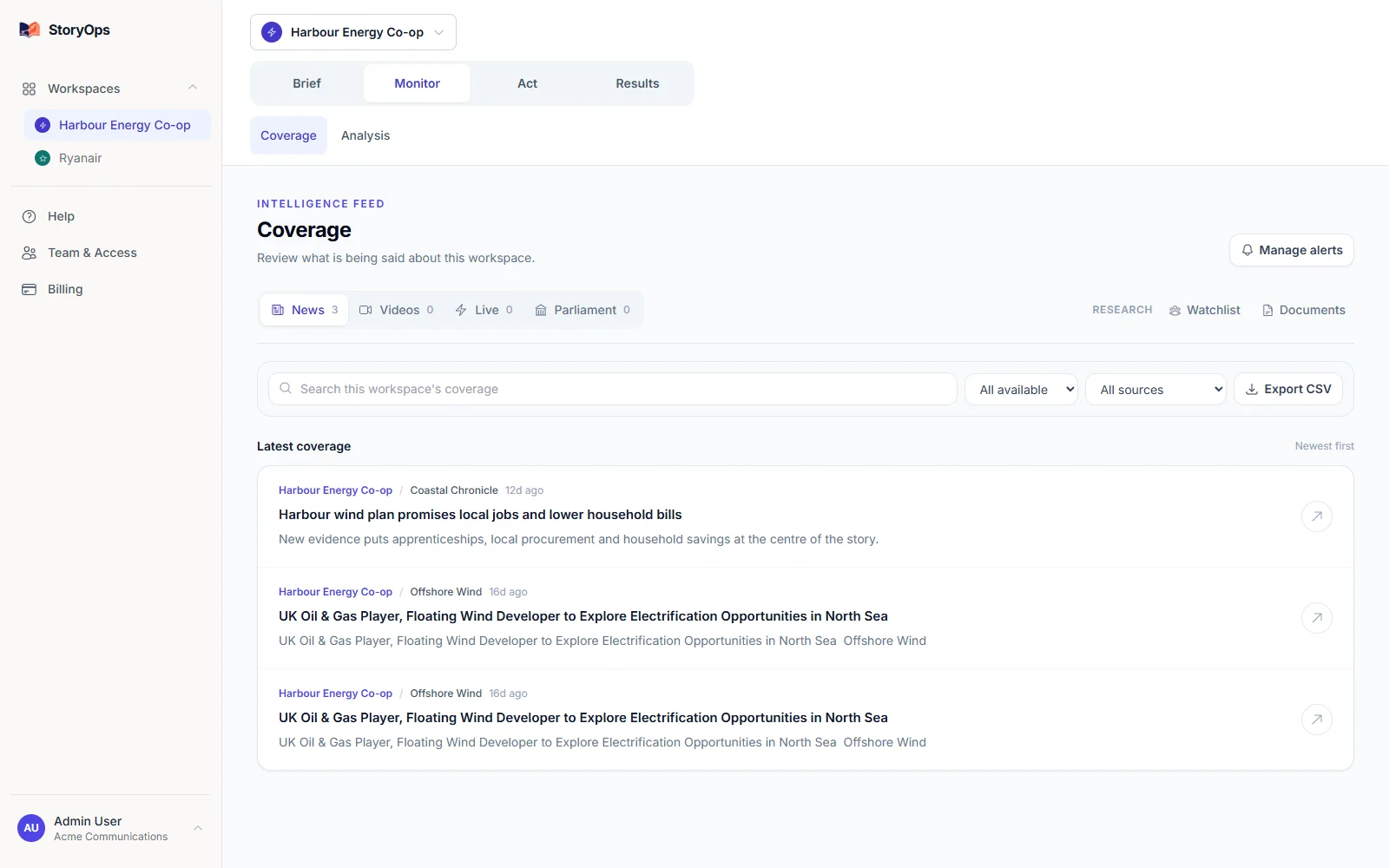
Start with the Meltwater workflow you use every day.
If your day is spent checking mentions, assessing an emerging issue and briefing colleagues, that’s exactly what StoryOps is built for — try it on a real organisation and see for yourself. If your team also leans on Meltwater for media relations, influencer marketing or large-scale consumer intelligence, keep those requirements in your evaluation; StoryOps is focused on monitoring, analysis and response.
| Your decision | StoryOps | Meltwater |
|---|---|---|
| Core workflow | AI-analysed coverage, source-linked reports and response work — all in one workspace, ready as soon as you add an organisation. | Meltwater bundles media intelligence, social listening, media relations and additional modules into one platform — a strong fit if you need the full suite. |
| Published pricing | Public and free to start: Free $0, Solo $49/month, Team $99/month. USD. | Tailored quote, no public price — evaluation happens through a guided demo rather than a self-serve trial. |
| Coverage fit | News, web, social, video and parliamentary sources, all source-linked. Licensed print and broadcast clips aren’t included — pair with a clipping service if you need those. | Confirm exactly which source lists, licensing and reporting formats are in your quoted package. |
| Before switching | Add one organisation you know well, free, and see the coverage StoryOps actually surfaces. | Check the features and contract terms your team currently relies on. |
Checked 21 September 2026 against Meltwater’s own published product and pricing pages — a scope comparison, not a benchmark of coverage quality. StoryOps has no affiliation with Meltwater.
See the briefing you’d actually send.
A usable briefing needs a clear reporting window and evidence you can trace back to source. This is a real report preview from the product, showing exactly how it handles a case with limited prior coverage to compare against.
The organisation is fictional demo data — it shows the report format, not a real monitoring result.
Explore the evidence →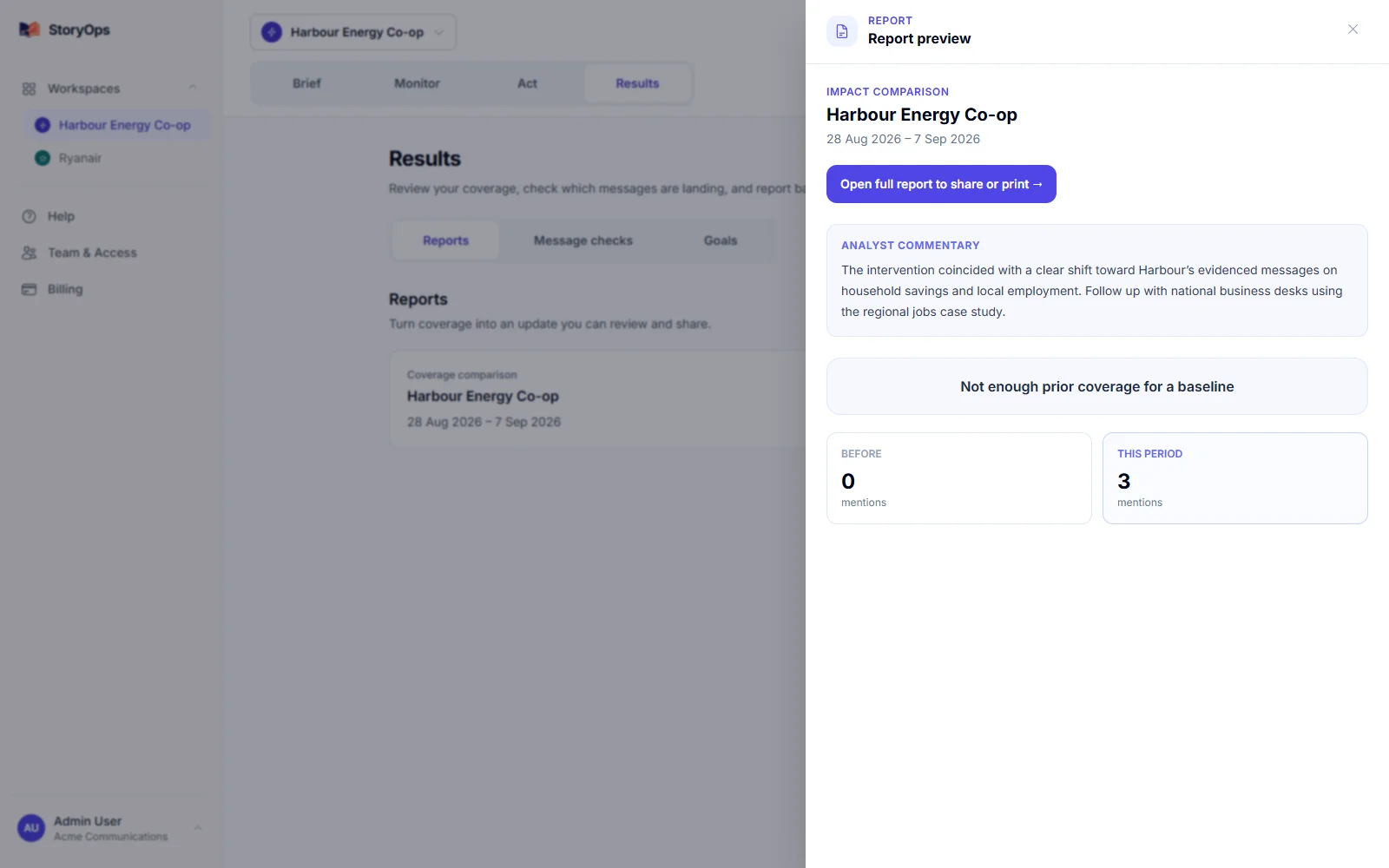
See exactly what’s covered.
Source availability depends on what you configure and the access each source allows — confirm your specific outlets before you switch, it only takes minutes.
What’s covered
News and RSS feeds, web coverage, X, Reddit, Bluesky, Lemmy, YouTube and TikTok — plus review sites and Irish or UK parliamentary records where you configure them.
Every coverage report links back to its original source, and report types can carry different kinds of evidence.
What’s out of scope
LinkedIn and Substack aren’t native sources yet, and StoryOps doesn’t include licensed print, TV or radio clips — pair it with a clipping service if your reporting needs those.
It’s built for monitoring, analysis and response, not as a journalist database or press-distribution tool — and every AI finding is there for your team to check, not to publish unreviewed.
Start with one organisation, free.
A subject is any person, brand or organisation you track. Prices below are published in USD.
Free
$0 / month
1 tracked subject
Solo
$49 / month
5 tracked subjects
Team
$99 / month
20 tracked subjects
Monthly prices in USD. Every signup starts on Free, no card required — check current plan details and any additional-subject pricing in the app before you upgrade. View current app pricing.
Questions worth asking before you switch
- Which sources and regions does our current package actually include?
- Do we use the journalist database and influencer tools, or mostly pay for access to them?
- Could StoryOps surface the specific articles our team needs every morning?
See your own coverage today.
Add the one organisation you know best, free. Check the sources yourself, and see if the briefing is one you’d actually send.