 StoryOps
AI media monitoring
Read the coverage. Check the analysis.
Let AI surface the themes, sentiment and potential risks in your coverage — then check the original sources before you act on any of it.
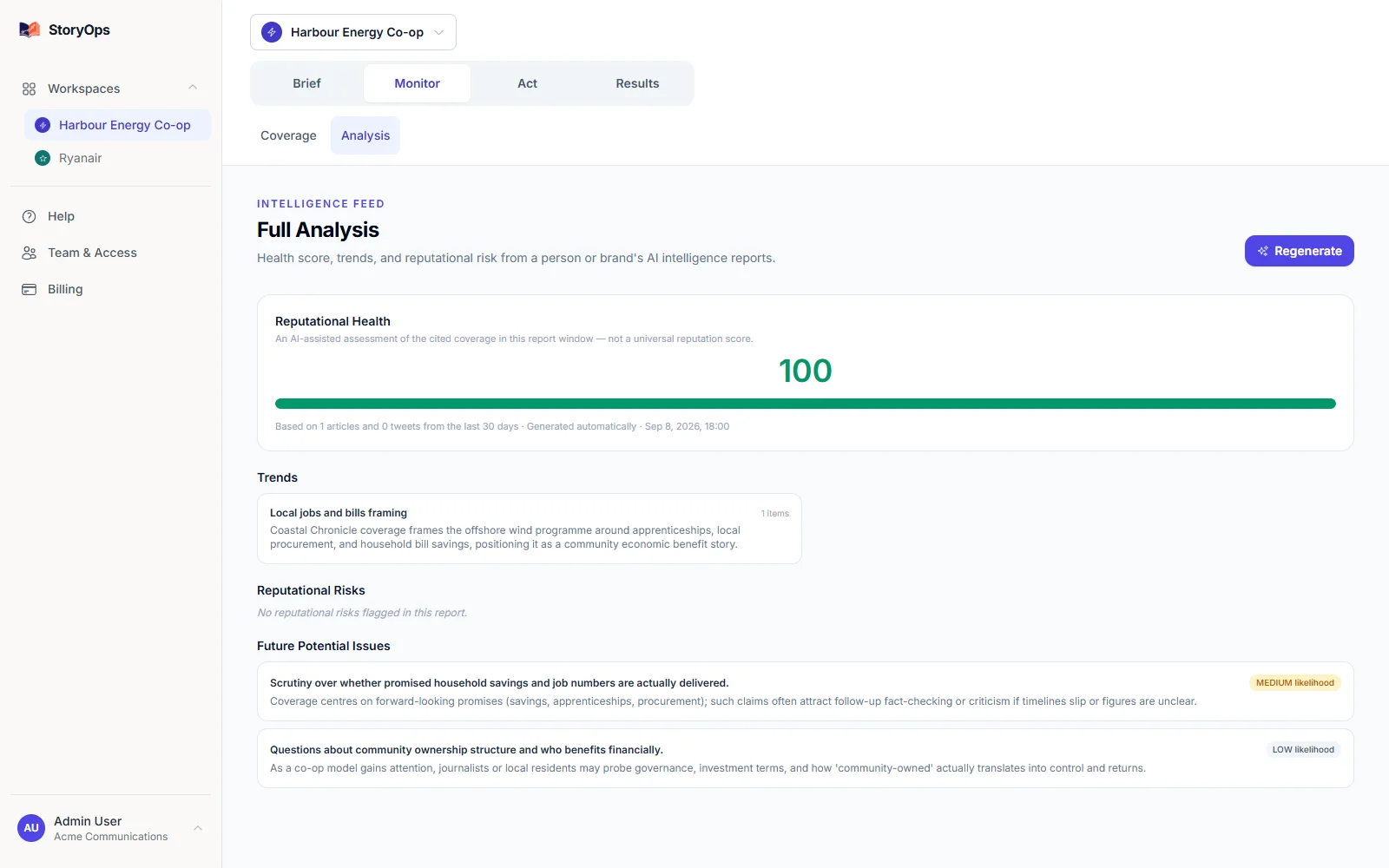
Give AI one clear job in your briefing.
Collect the relevant coverage
Every analysis starts from material StoryOps has actually collected for your tracked subjects — worth confirming your source list matches what you need.
Inspect the assessment
Review the themes and potential reputational risks AI surfaces, and treat it as a first read, not a final one — irony, sarcasm and ambiguous names are still places it can get things wrong.
Apply your own judgement
Read the linked material, decide what belongs in the brief, and keep your team — not the AI — responsible for every conclusion and response.
See what you’d actually send.
This is the real report interface, captured from the product — not a mockup. The demo dataset has three mentions and no prior baseline to compare against, so treat it as a look at the format rather than a result.
What does StoryOps find? →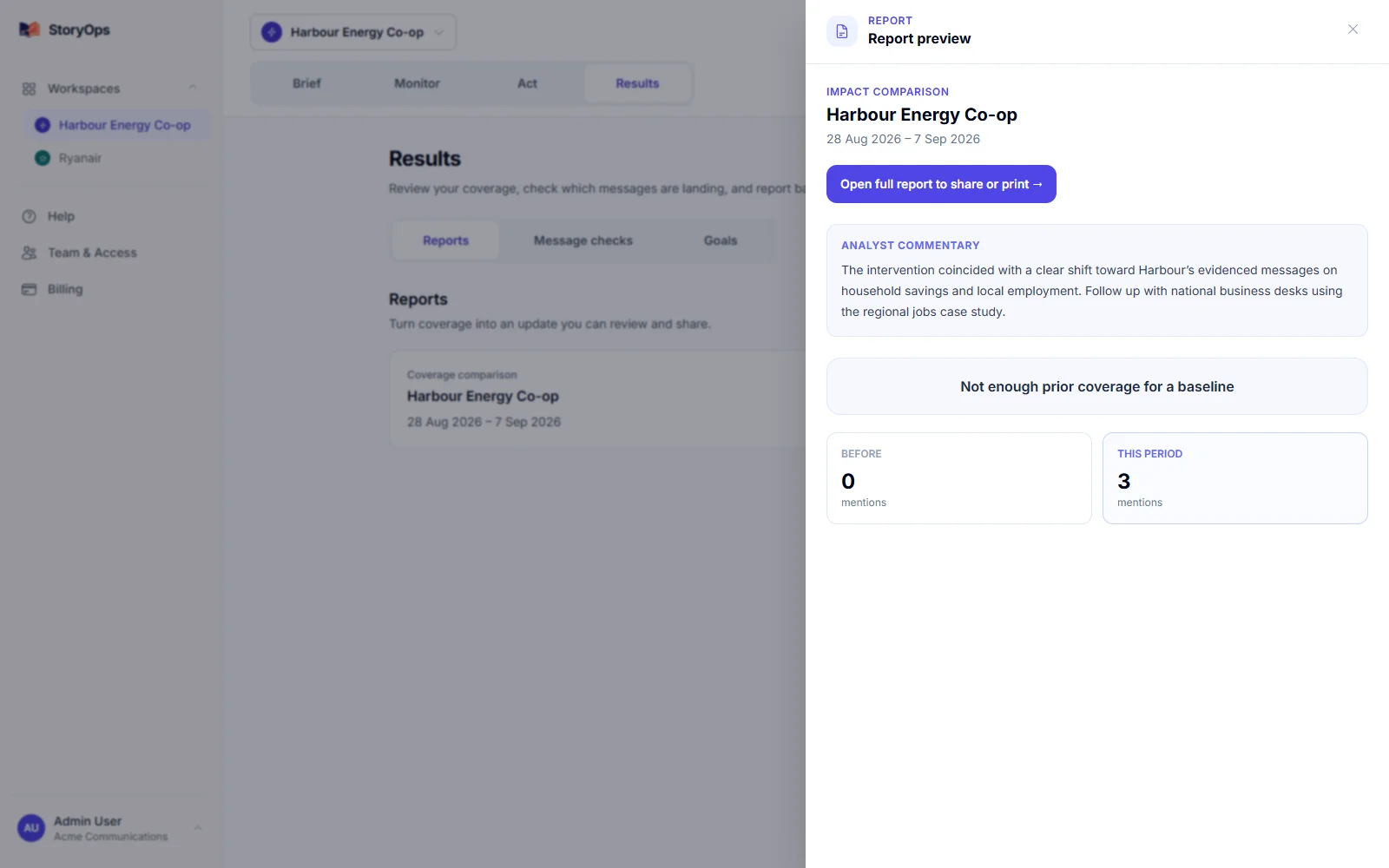
See exactly what’s covered.
Source availability depends on what you configure and the access each source allows — confirm your specific outlets before you switch, it only takes minutes.
What’s covered
News and RSS feeds, web coverage, X, Reddit, Bluesky, Lemmy, YouTube and TikTok — plus review sites and Irish or UK parliamentary records where you configure them.
Every coverage report links back to its original source, and report types can carry different kinds of evidence.
What’s out of scope
LinkedIn and Substack aren’t native sources yet, and StoryOps doesn’t include licensed print, TV or radio clips — pair it with a clipping service if your reporting needs those.
It’s built for monitoring, analysis and response, not as a journalist database or press-distribution tool — and every AI finding is there for your team to check, not to publish unreviewed.
Start with one organisation, free.
A subject is any person, brand or organisation you track. Prices below are published in USD.
Free
$0 / month
1 tracked subject
Solo
$49 / month
5 tracked subjects
Team
$99 / month
20 tracked subjects
Monthly prices in USD. Every signup starts on Free, no card required — check current plan details and any additional-subject pricing in the app before you upgrade. View current app pricing.
Does StoryOps publish AI responses automatically?
No — response work in StoryOps is an internal workflow your team controls end to end. Marking something “published” updates its status inside the app; it doesn’t send anything to journalists or social channels on its own.
See your own coverage today.
Add the one organisation you know best, free. Check the sources yourself, and see if the briefing is one you’d actually send.