 StoryOps
Media monitoring for PR agencies
Every client. A clearer brief.
Keep every client’s coverage, AI analysis and response work in one place — a dedicated workspace for each organisation you follow.
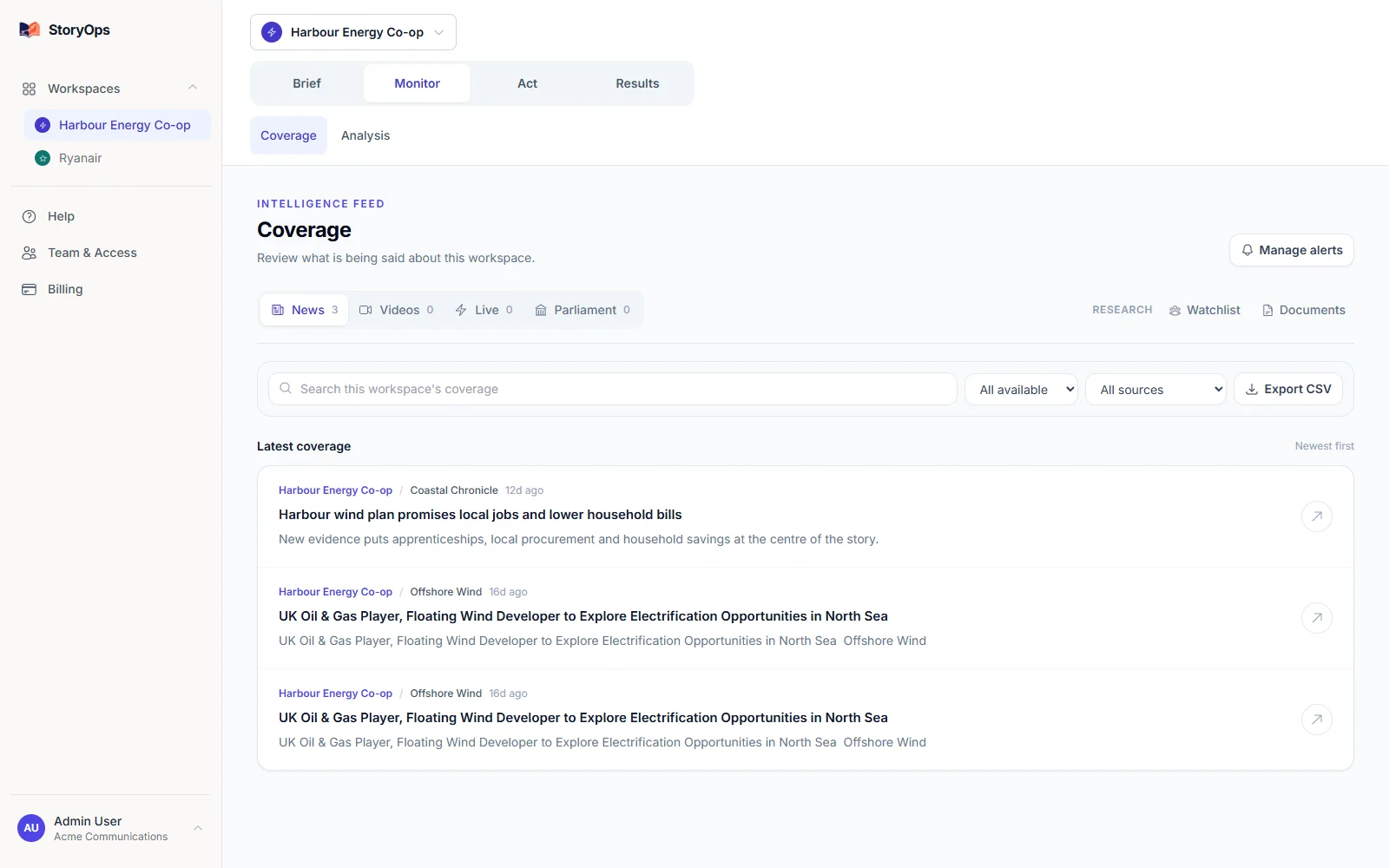
Make the morning client round-up fast and repeatable.
Set the client’s scope
Add the client’s name and aliases, then set exclusions for any ambiguous terms — so every mention StoryOps surfaces is genuinely about them.
Review the evidence
Open the source articles behind any developing issue and decide what belongs in the client update — the evidence is always one click away.
Prepare the briefing
Share a source-linked coverage report for the period you reviewed, with internal response work kept right alongside the issue it’s about.
See what you’d actually send.
This is the real report interface, captured from the product — not a mockup. The demo dataset has three mentions and no prior baseline to compare against, so treat it as a look at the format rather than a result.
What does StoryOps find? →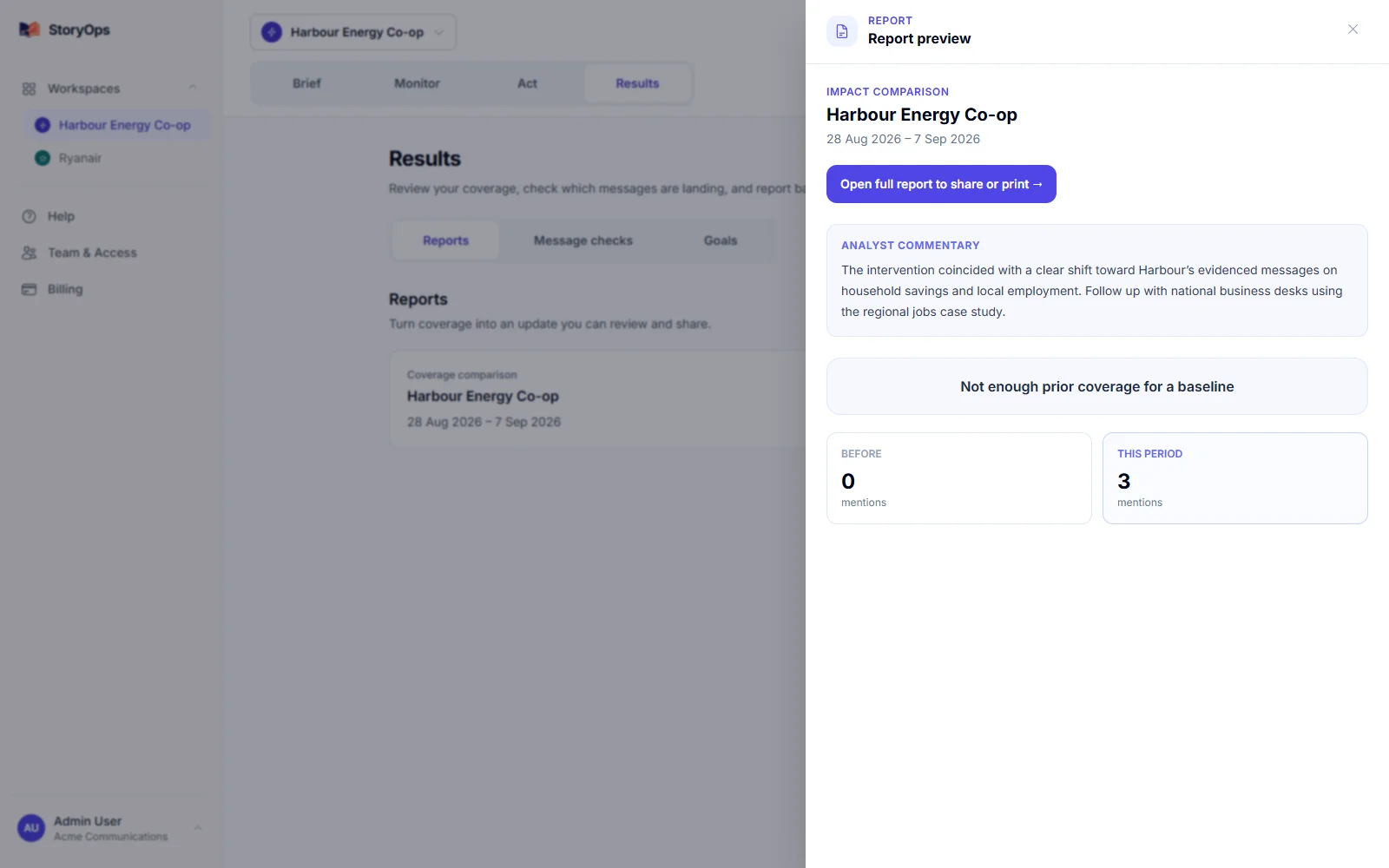
See exactly what’s covered.
Source availability depends on what you configure and the access each source allows — confirm your specific outlets before you switch, it only takes minutes.
What’s covered
News and RSS feeds, web coverage, X, Reddit, Bluesky, Lemmy, YouTube and TikTok — plus review sites and Irish or UK parliamentary records where you configure them.
Every coverage report links back to its original source, and report types can carry different kinds of evidence.
What’s out of scope
LinkedIn and Substack aren’t native sources yet, and StoryOps doesn’t include licensed print, TV or radio clips — pair it with a clipping service if your reporting needs those.
It’s built for monitoring, analysis and response, not as a journalist database or press-distribution tool — and every AI finding is there for your team to check, not to publish unreviewed.
Start with one organisation, free.
A subject is any person, brand or organisation you track. Prices below are published in USD.
Free
$0 / month
1 tracked subject
Solo
$49 / month
5 tracked subjects
Team
$99 / month
20 tracked subjects
Monthly prices in USD. Every signup starts on Free, no card required — check current plan details and any additional-subject pricing in the app before you upgrade. View current app pricing.
Can I replace my agency’s outreach platform?
StoryOps focuses on monitoring, AI analysis and internal response work — not journalist databases or press distribution. Most agencies keep their existing outreach platform for pitching, and use StoryOps for everything that happens once the story runs.
See your own coverage today.
Add the one organisation you know best, free. Check the sources yourself, and see if the briefing is one you’d actually send.